 MultiverseOSP
How to set up the Rental Property & Airbnb Host Spreadsheet
Google Sheets or Excel. About 10 minutes. Prefer to be walked through it? Open the AI guide (bottom corner) and choose Walk me through setup.

Hi, I'm Ava the Fox, your AI setup guide! Follow along below, or let me walk you through it one step at a time in the chat.
Download this guide as a PDF (also included with your purchase)
Open it in Google Sheets
- Download the .xlsx from your download page or email (the link works 3 times in 24 hours; save the file somewhere you'll find it).
- Go to drive.google.com, click New > File upload and choose the .xlsx.
- Open the uploaded file, then choose File > Save as Google Sheets. Work in the new Google Sheets copy (it has the green icon).
- Formulas, dropdowns and colors carry over. If a sheet asks to allow editing a protected range, click OK: gray cells are protected only to prevent accidents (no password).
Open it in Excel
- Download the .xlsx and double-click it. Works in Excel 2010 or newer, Microsoft 365 and Excel for Mac (also LibreOffice Calc).
- If Excel shows a yellow Protected View bar, click Enable Editing (files from the internet always open that way). There are no macros to enable.
- Save a copy under your own name (File > Save As) so you always have the clean original.
Color code: yellow cells are for typing, gray cells are formulas. Tabs: Start Here, Deal Analyzer, P&L, Settings, Bookings, Expenses.
Setup, one step at a time
Open the file
Open the workbook (see Google Sheets or Excel below). Start on the Start Here tab, then look at the filled-in sample so you can see it working.

Ava's tip: You've got this! Take it slow, there's no rush.
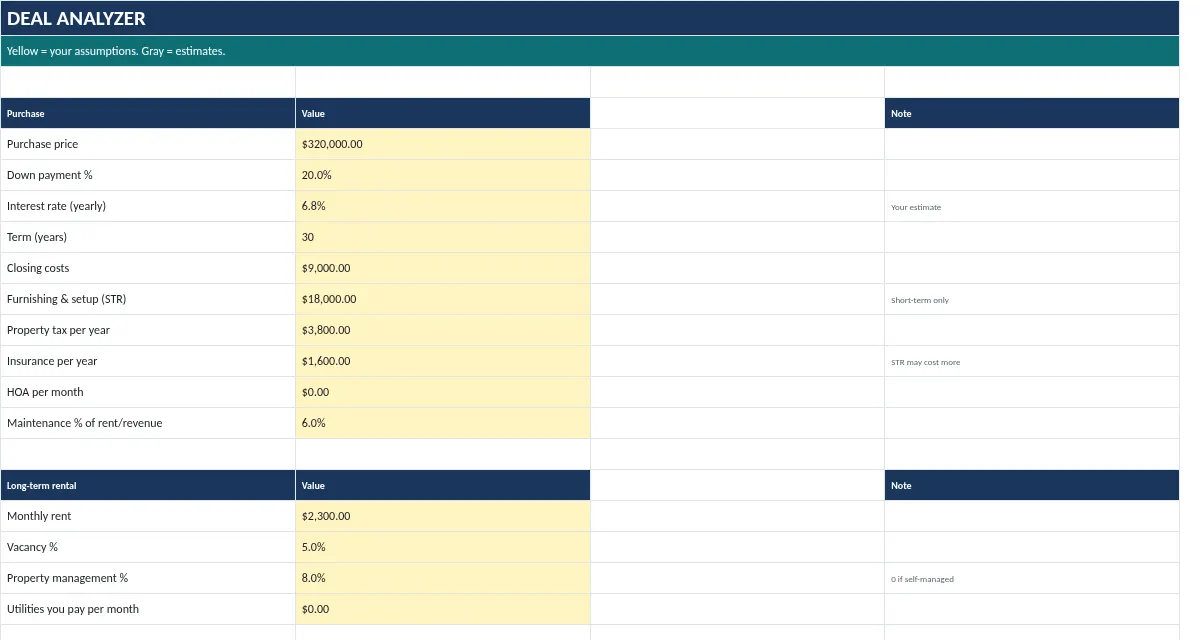
Deal Analyzer
Type price, down payment, rate, term and closing costs, then the rent (long-term) and nightly rate, occupancy and fees (short-term). Read the comparison.
Ava's tip: Nice! One step down. Little steps add up fast.
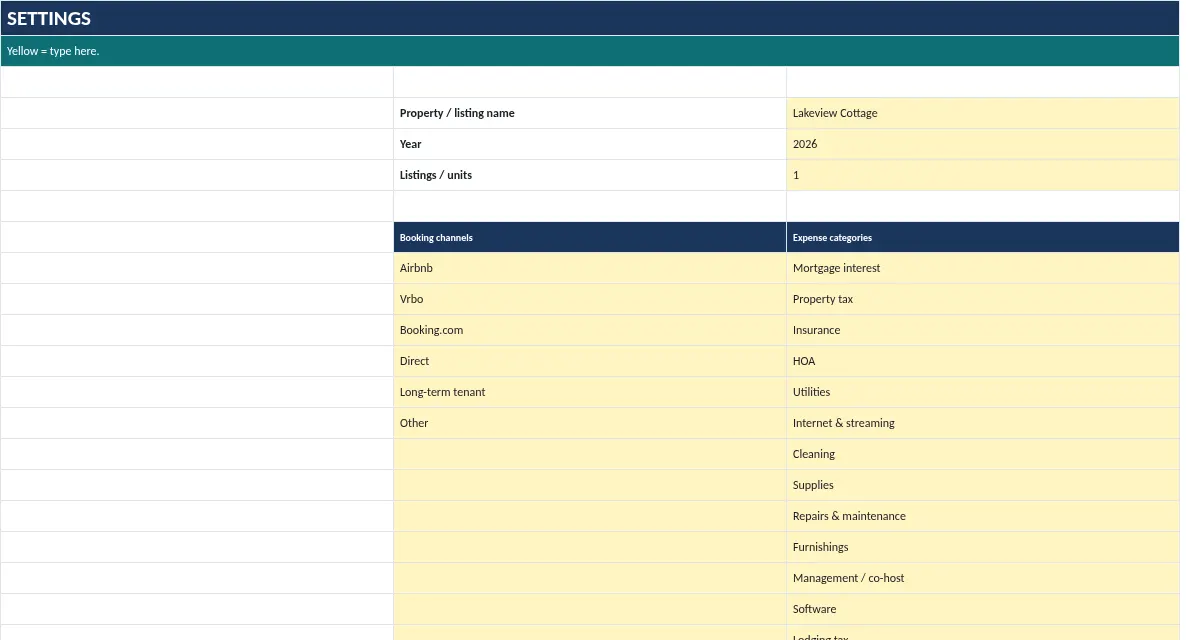
Settings
Property name, the year you're tracking, number of units/listings, and your categories.
Ava's tip: Look at you go! If anything looks odd, the troubleshooting list below has your back.
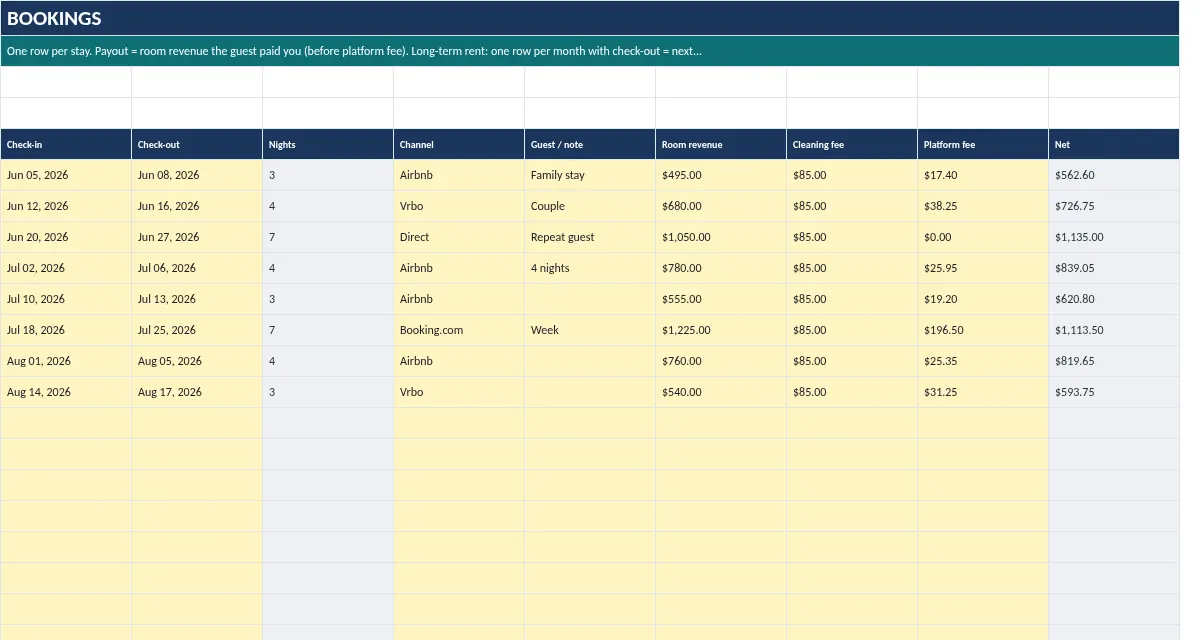
Bookings
One row per stay: check-in, check-out, channel, guest payout, cleaning fee charged, platform fee. Nights and net are calculated.
Ava's tip: Halfway-ish and doing great. Keep going!
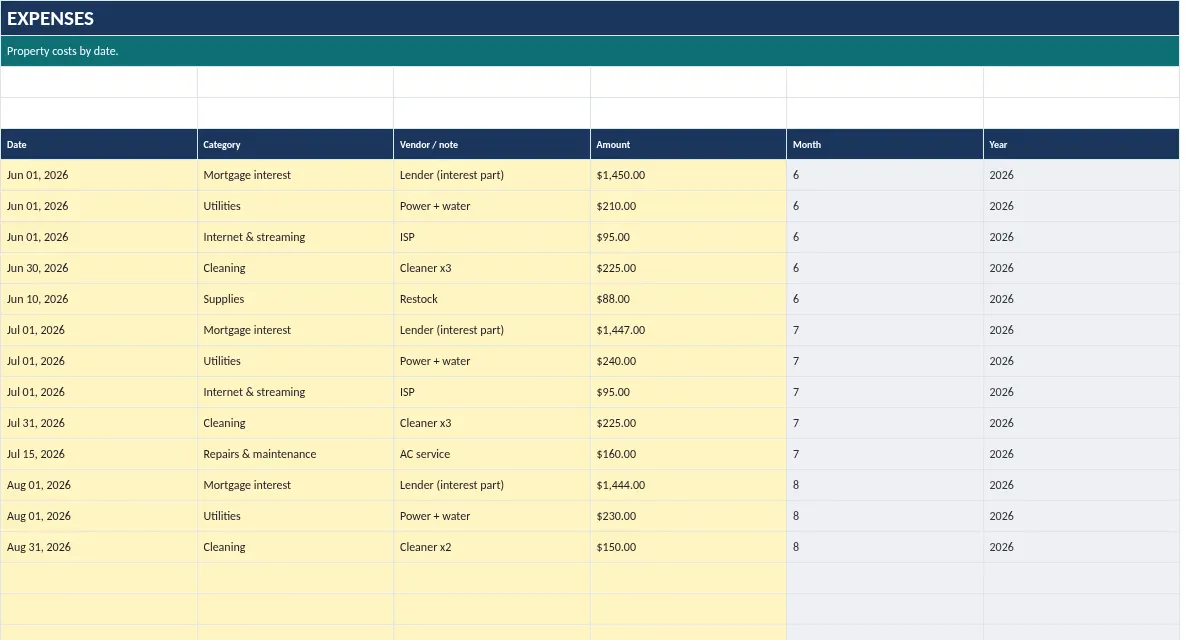
Expenses
One row per cost: date, category, amount.
Ava's tip: Ooh, you're really getting the hang of this.
P&L
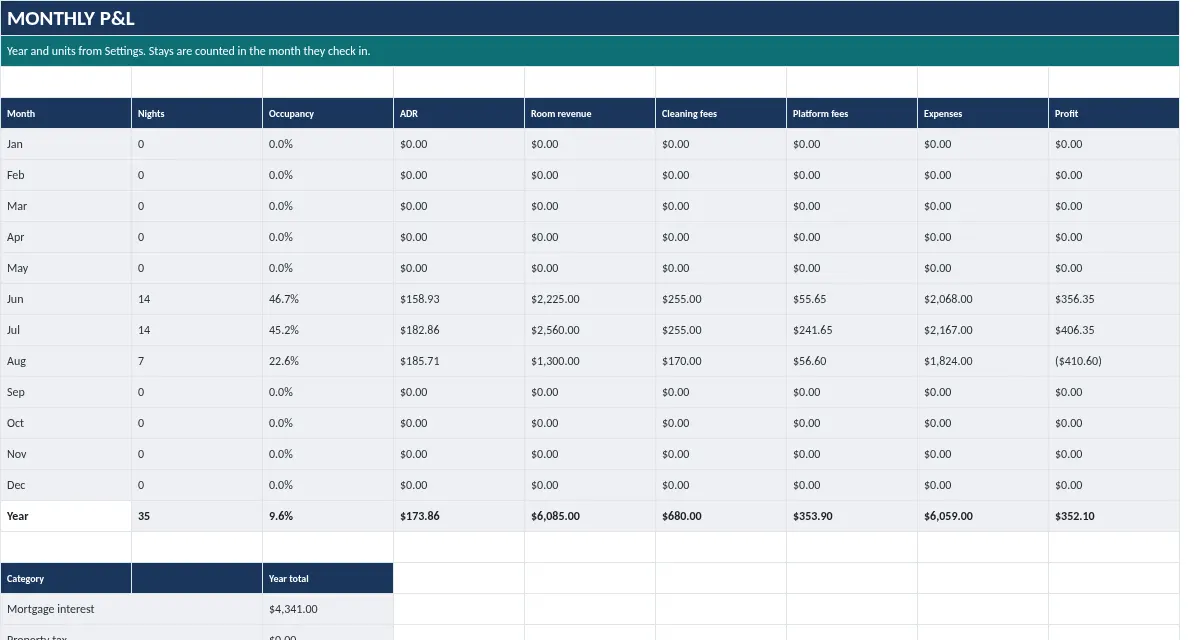
Monthly nights, occupancy %, ADR, revenue, expenses, and profit for the year on Settings.
Ava's tip: Almost there! I can see the finish line.
Make it yours
Replace the sample values in the yellow cells with your own. Gray cells calculate automatically. Save.
Ava's tip: Woohoo, last step! You did it. Give yourself a cheer!
Troubleshooting
The download link says expired or used up
Each link works 3 times within 24 hours. Email Grokedgepm@proton.me with your order email and we'll send a fresh link.
I didn't get the email
Check spam and promotions for 'downloads@multiverseosp.com'. Your download page also appeared right after checkout. Still nothing? Email us your order email.
A cell shows #REF!, #VALUE! or #NAME?
Usually a gray formula cell was typed over or a row was deleted. Press Undo, or start again from the original file. Type only in yellow cells.
Dates look like numbers (e.g. 46310)
Select the cell and set Format > Number > Date. In Google Sheets also check File > Settings > Locale matches your country.
Can I delete the sample data?
Yes. Clear the yellow cells only (select, press Delete). Don't delete whole rows; the formulas expect them.
Still stuck? Email Grokedgepm@proton.me with your order email, or ask the AI guide to pass your question to a person.
Back to the Rental Property & Airbnb Host Spreadsheet
Informational tool only. Not financial, tax, or legal advice. Guide written with AI assistance and checked by hand.