 MultiverseOSP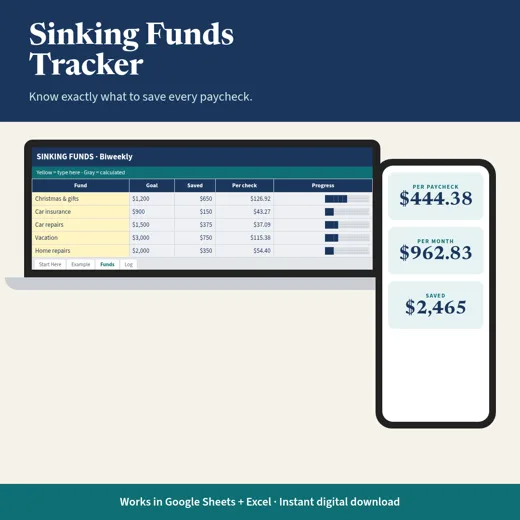
Budgeting
Sinking Funds Tracker
Set a goal and a date for each fund and see exactly what to set aside each month and each paycheck.
$9Buy
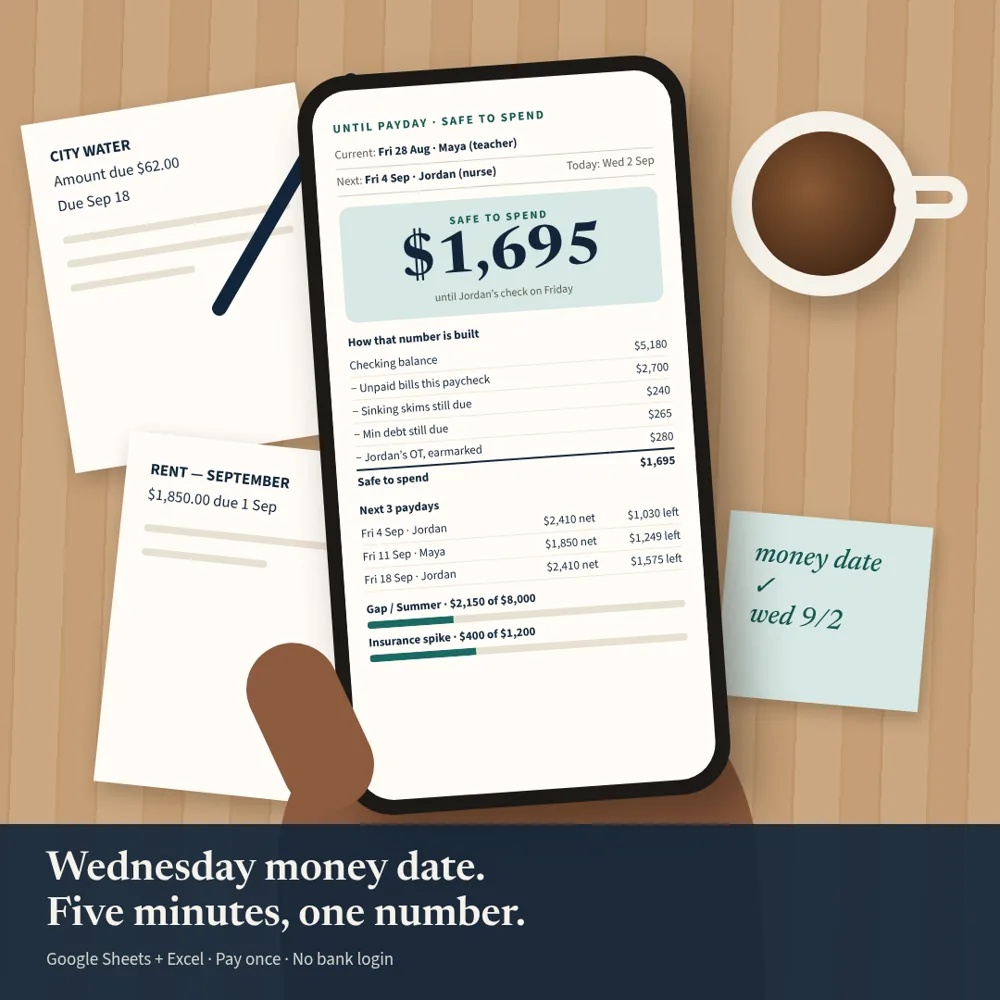
Assign every bill to a paycheck and always know what is safe to spend until the next one.
Instant download + email. Works in Google Sheets and Excel.
Secure checkout by StripeApple PayGoogle Pay
If a file doesn’t work, we’ll fix it. If we can’t, you get a refund within 7 days. Because these are instant digital downloads, there are no refunds for change of mind.
Teachers on 10-month contracts, nurses with base pay plus overtime, dual-income households with paydays that don't line up, and anyone paid on a schedule that isn't the 1st of the month. Not ideal if you are paid once a month or want an app that syncs to your bank.
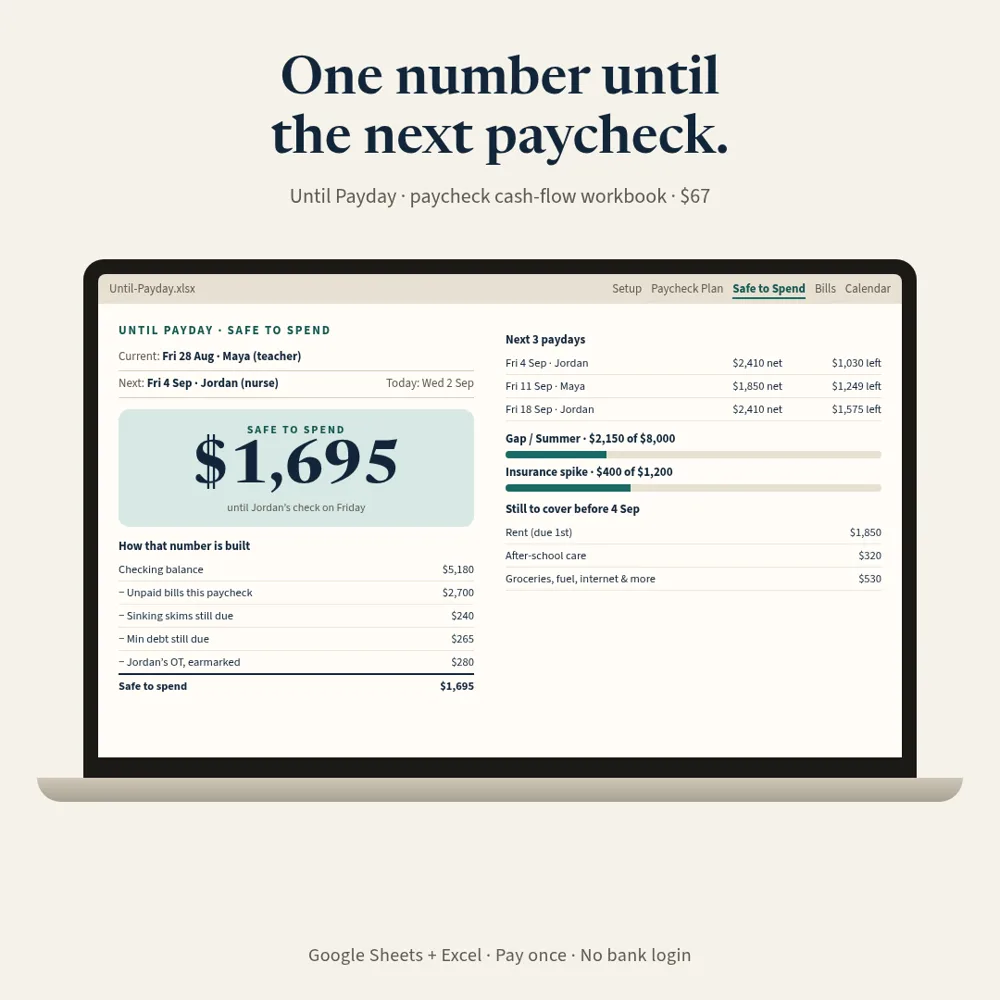
For people paid weekly, biweekly, or semimonthly. Your monthly budget balanced, your checking account didn't. Until Payday shows the number that lives in the gap: what is safe to spend from your real checking balance until your next paycheck arrives.
One .xlsx workbook that opens with a filled example household (a teacher and a nurse with mismatched paydays). Yellow cells are yours, gray cells are formulas. No VBA, no Apps Script, no bank login. Plus a step-by-step setup guide PDF. Works in Google Sheets and Excel (also LibreOffice Calc).
Includes English, Spanish and French versions.
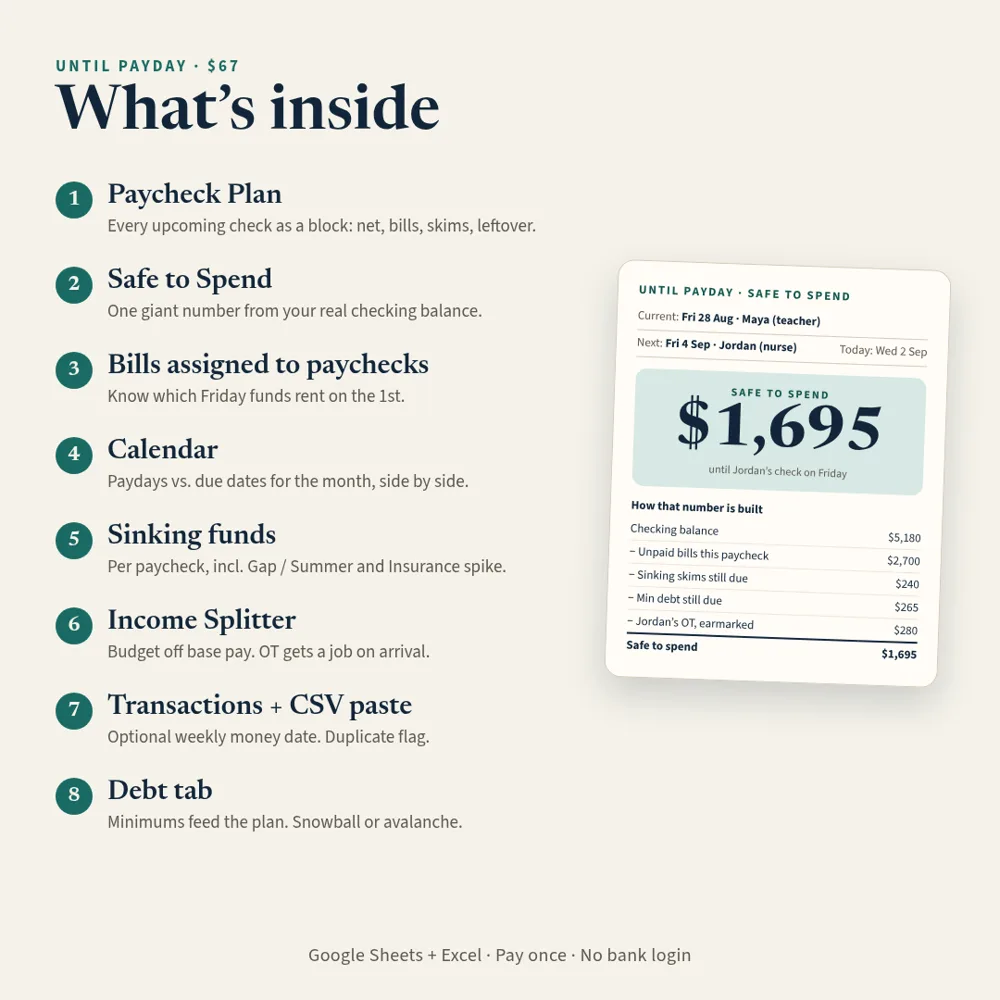
Real screenshots of each tab in the file, recalculated from the included sample data.
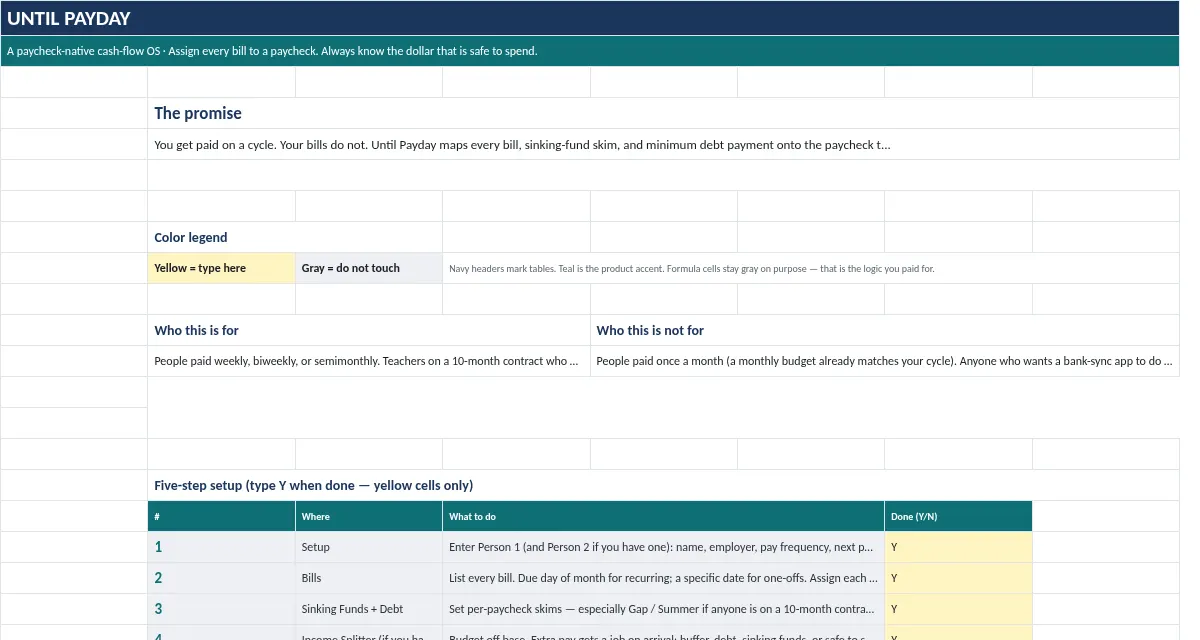
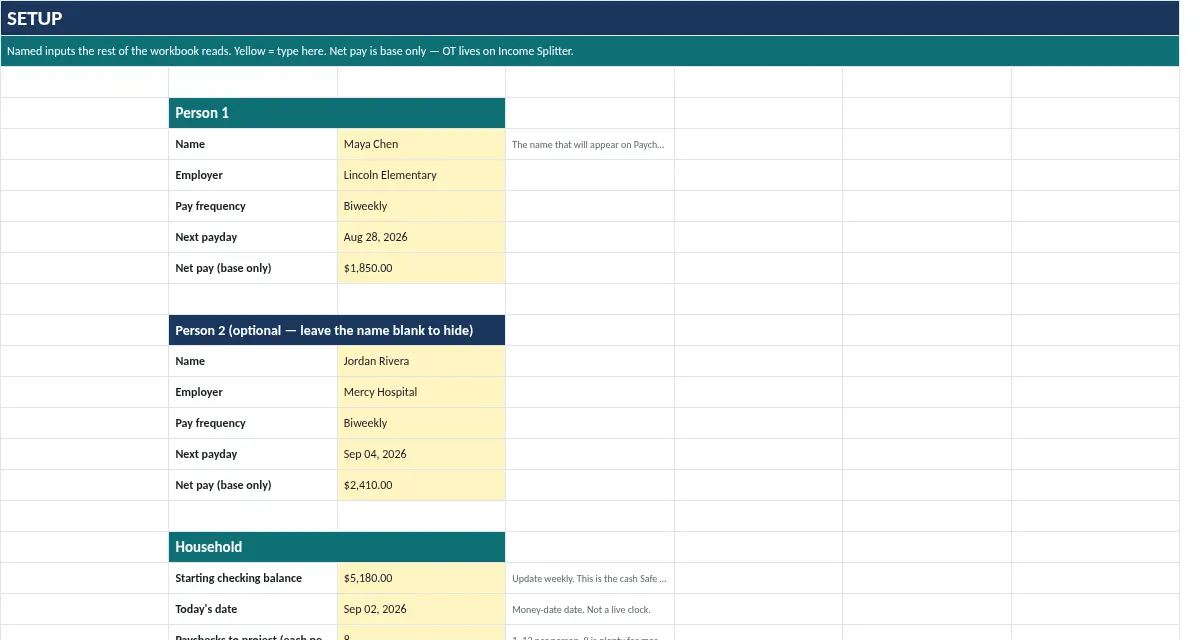
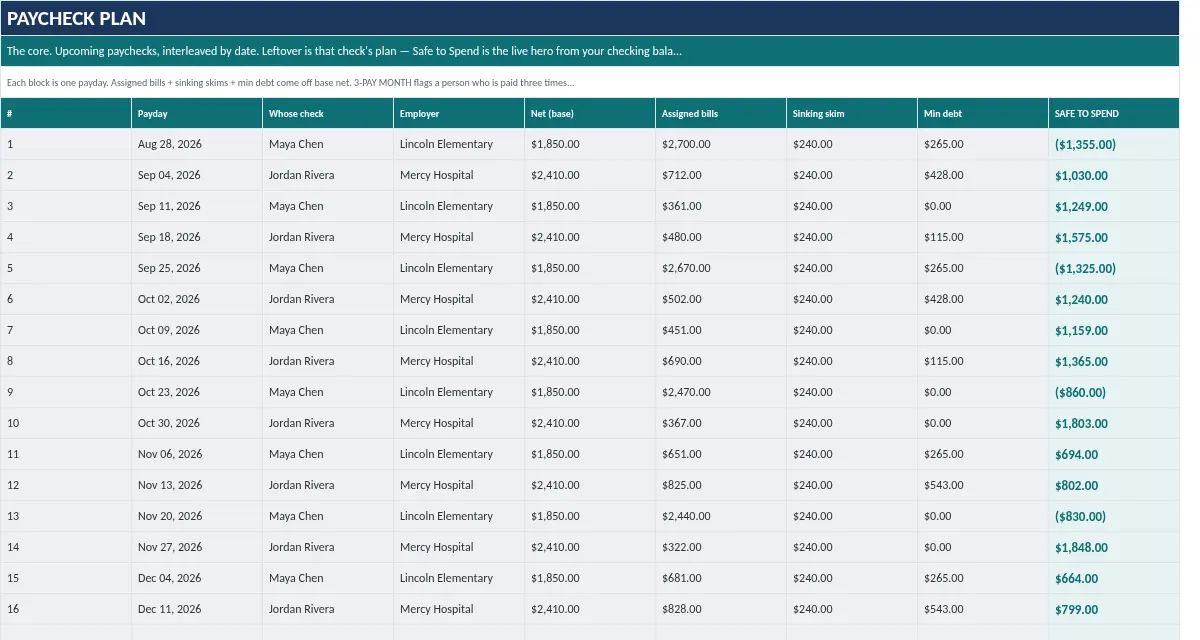
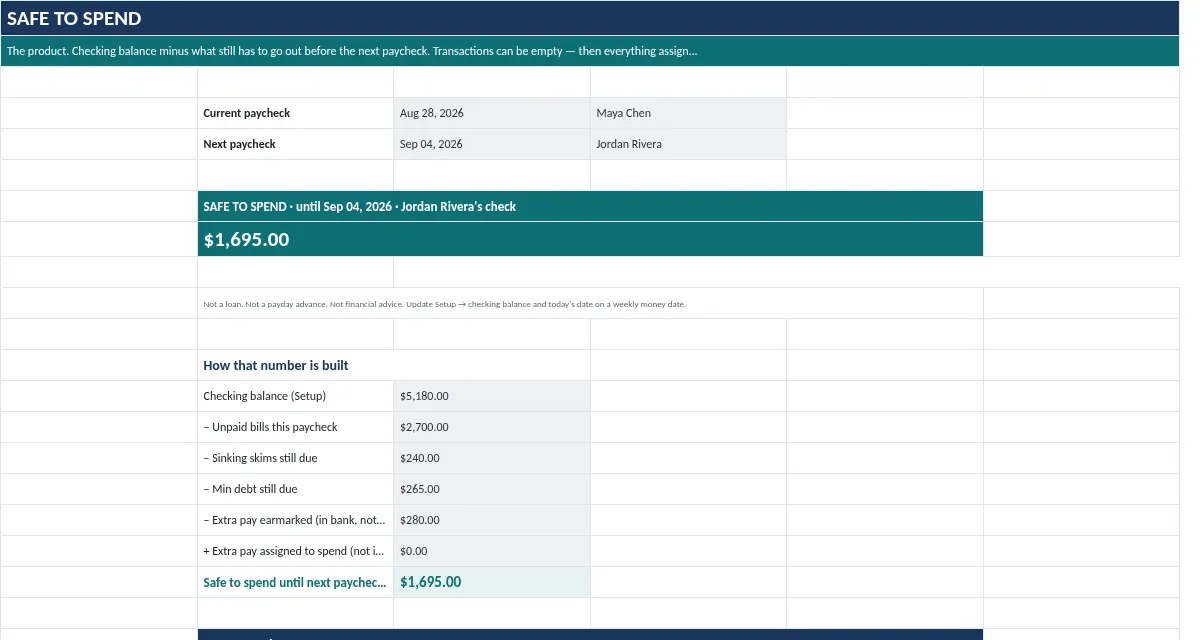
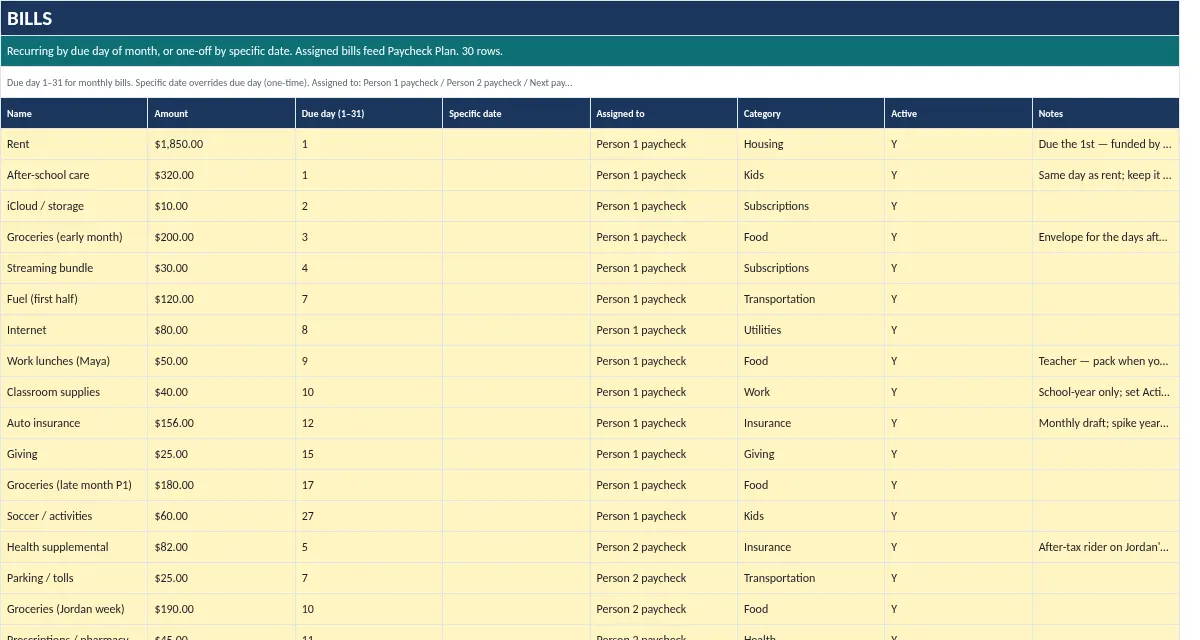
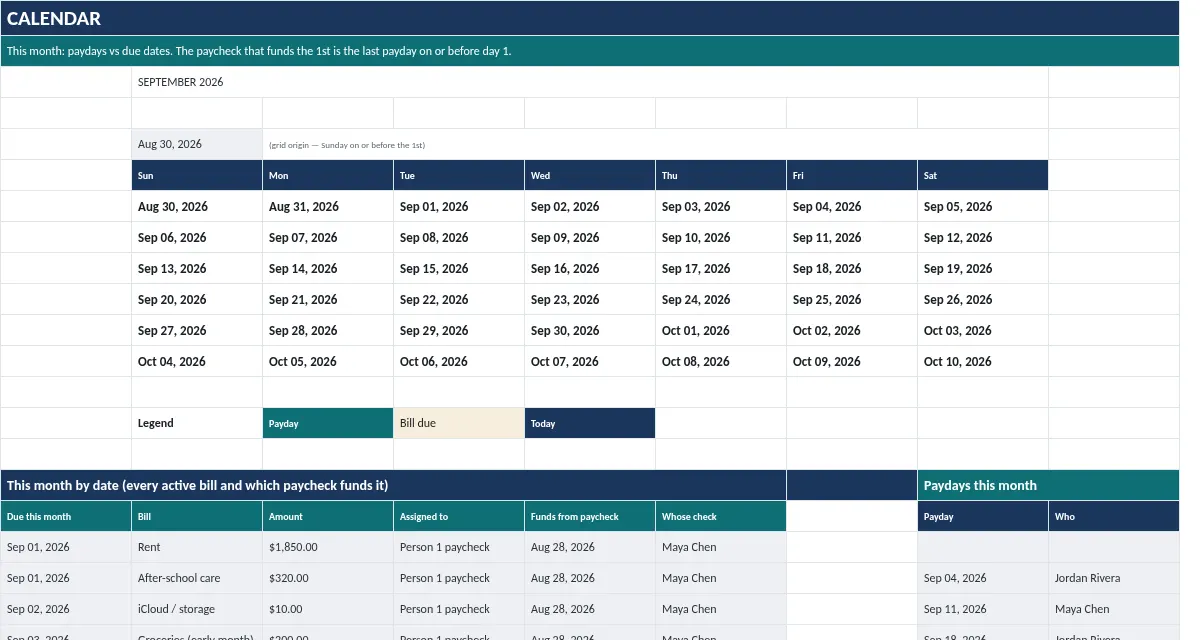
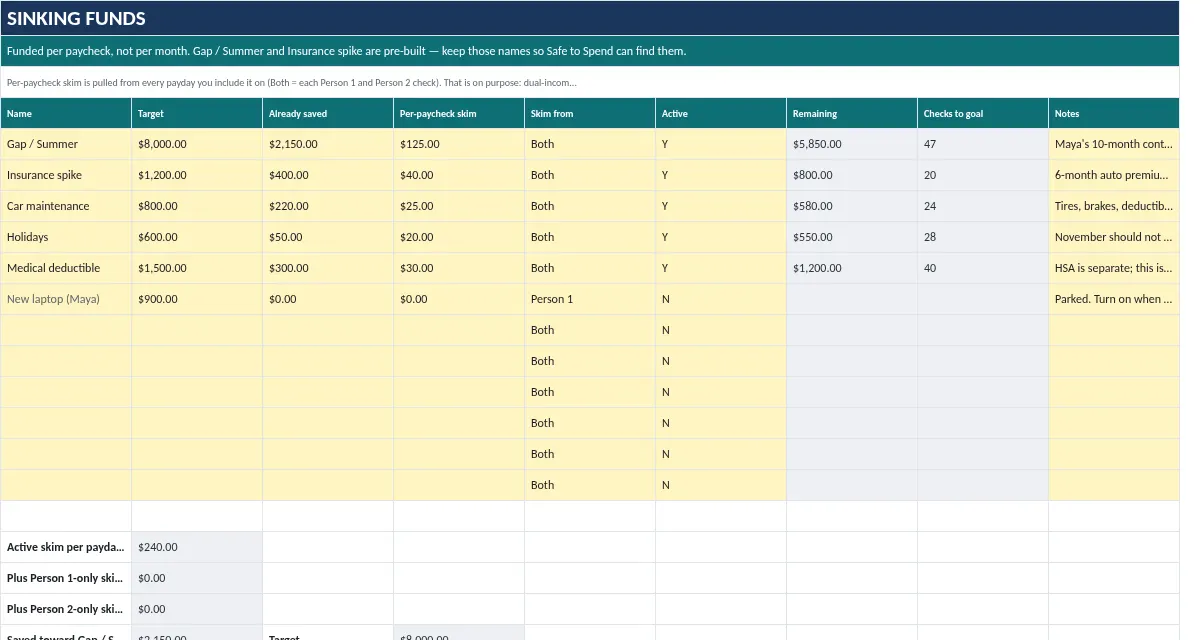
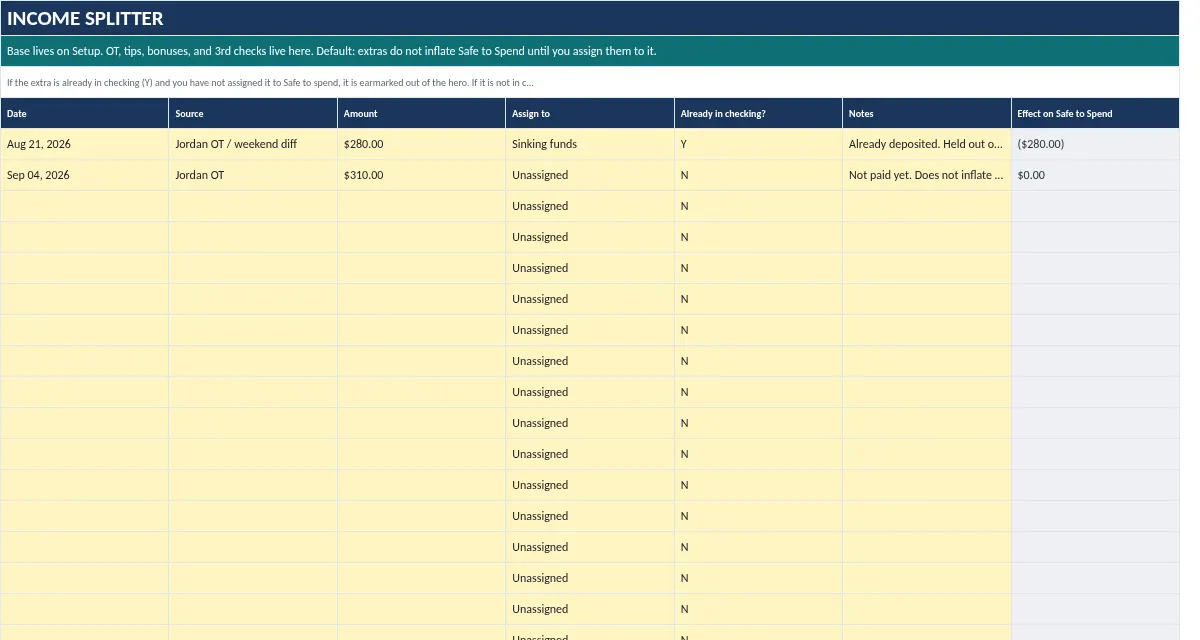
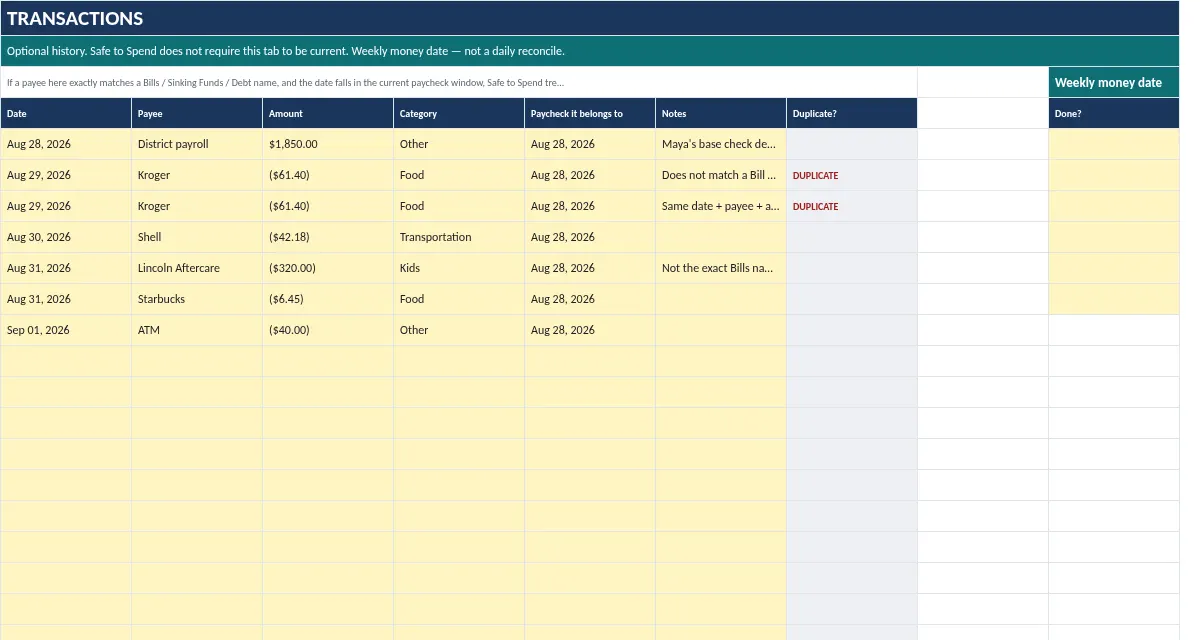
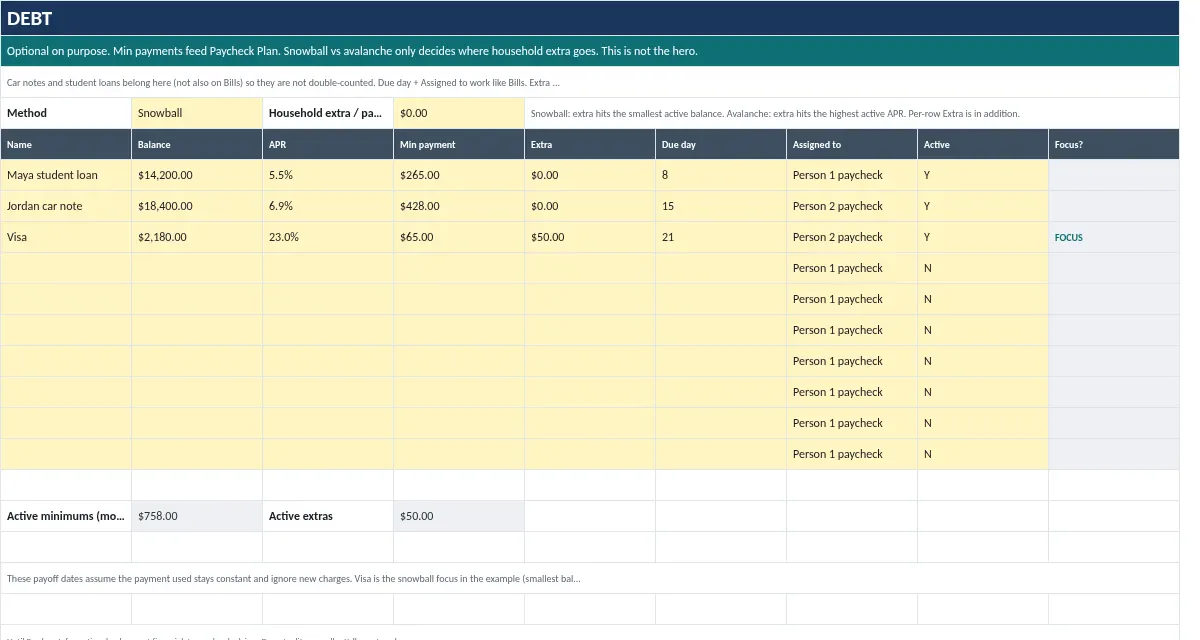
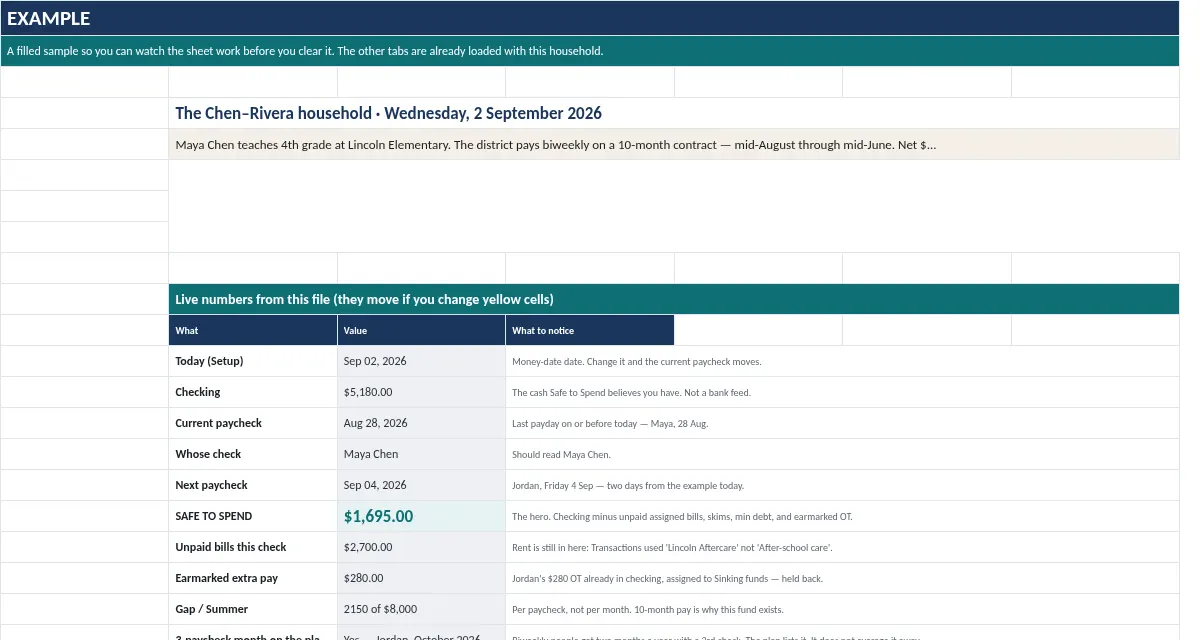
Real sample data from the workbook. Change a yellow cell and the totals recalculate.
| Bill | Due day | Amount |
|---|---|---|
| Rent | 1 | |
| After-school care | 1 | |
| iCloud / storage | 2 | |
| Groceries (early month) | 3 | |
| Streaming bundle | 4 | |
| Fuel (first half) | 7 | |
| Internet | 8 | |
| Work lunches (Maya) | 9 |
Yellow cells are editable. Simplified preview of the Safe to Spend tab. The full workbook builds the bill list per paycheck automatically from due dates and pay dates.
10 min

Set up in 10 minutes, or Ava walks you through it free
Ava the Fox, our AI setup guide, takes you one step at a time and can hand you to a person if you get stuck.
Please note. Informational tool only. Not financial, tax, or legal advice. Estimates come from the numbers you type. Not a loan, bank product, or advance. If a file doesn’t work, we’ll fix it. If we can’t, you get a refund within 7 days. Because these are instant digital downloads, there are no refunds for change of mind.
No. Until Payday is a spreadsheet. Not a loan, bank product, or advance. It never moves money and never connects to your bank.
Yes. Two incomes with different frequencies and dates are interleaved by date in the Paycheck Plan.
A download link right after checkout and by email, plus a step-by-step setup guide PDF. Spreadsheets are .xlsx: open in Excel, or upload to Google Drive and save as a Google Sheet.
No. One-time price. No macros, add-ons, or bank login.
If a file doesn’t work, we’ll fix it. If we can’t, you get a refund within 7 days. Because these are instant digital downloads, there are no refunds for change of mind.
No. It is an informational tool. Results are estimates from the numbers you enter.
Instant download + email. Works in Google Sheets and Excel.
Secure checkout by StripeApple PayGoogle Pay
If a file doesn’t work, we’ll fix it. If we can’t, you get a refund within 7 days. Because these are instant digital downloads, there are no refunds for change of mind.
Until Payday Budget is in the Money Planner Bundle: 5 spreadsheets for $49 instead of $79. Want everything? The Complete Money Toolkit is $129 ($231 value).
Budgeting
Set a goal and a date for each fund and see exactly what to set aside each month and each paycheck.
Budgeting
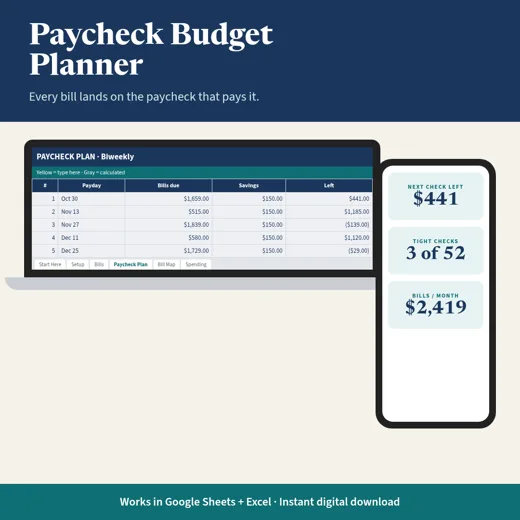
Map every bill to the paycheck that pays it and see what is left from each check, weekly, biweekly, semimonthly or monthly.