 MultiverseOSP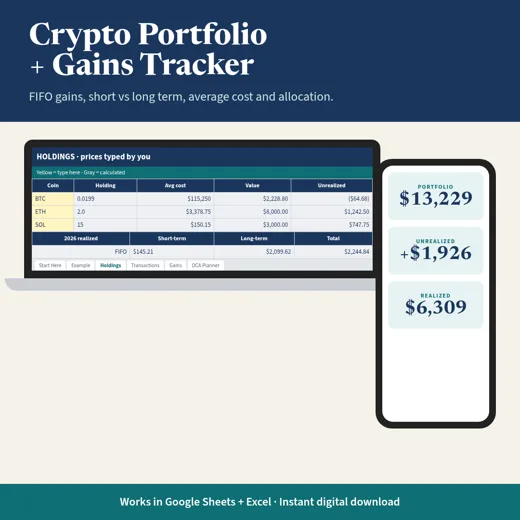
Crypto
Crypto Portfolio + Gains Tracker
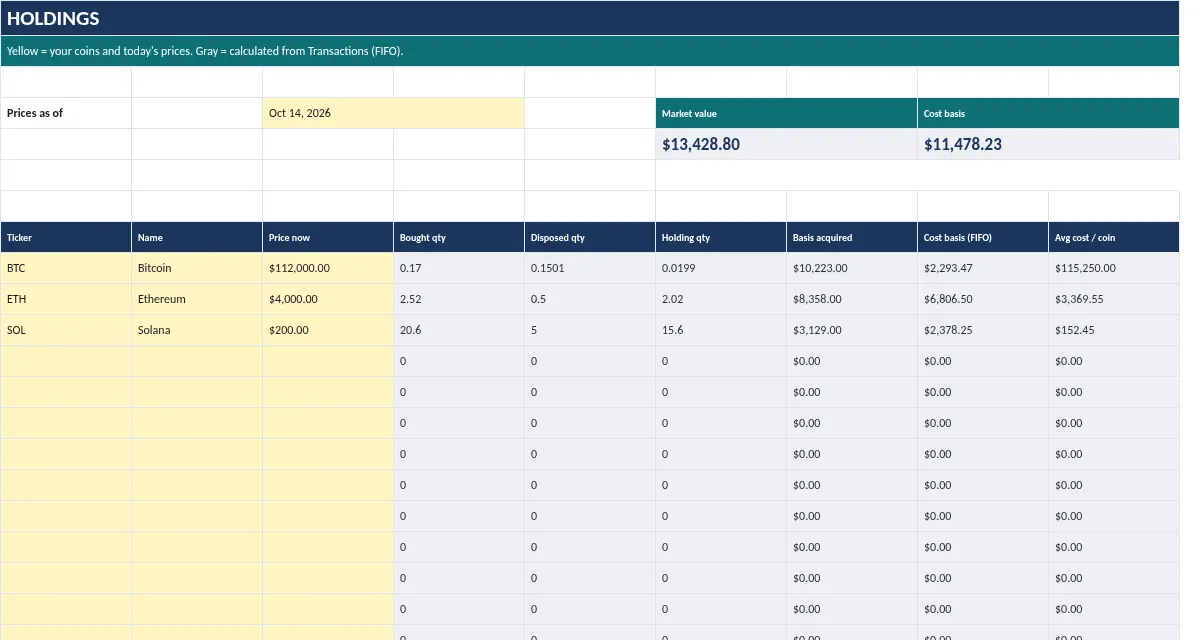
Holdings, average cost, unrealized P/L, allocation, and FIFO realized gains in one private sheet.
$17Buy
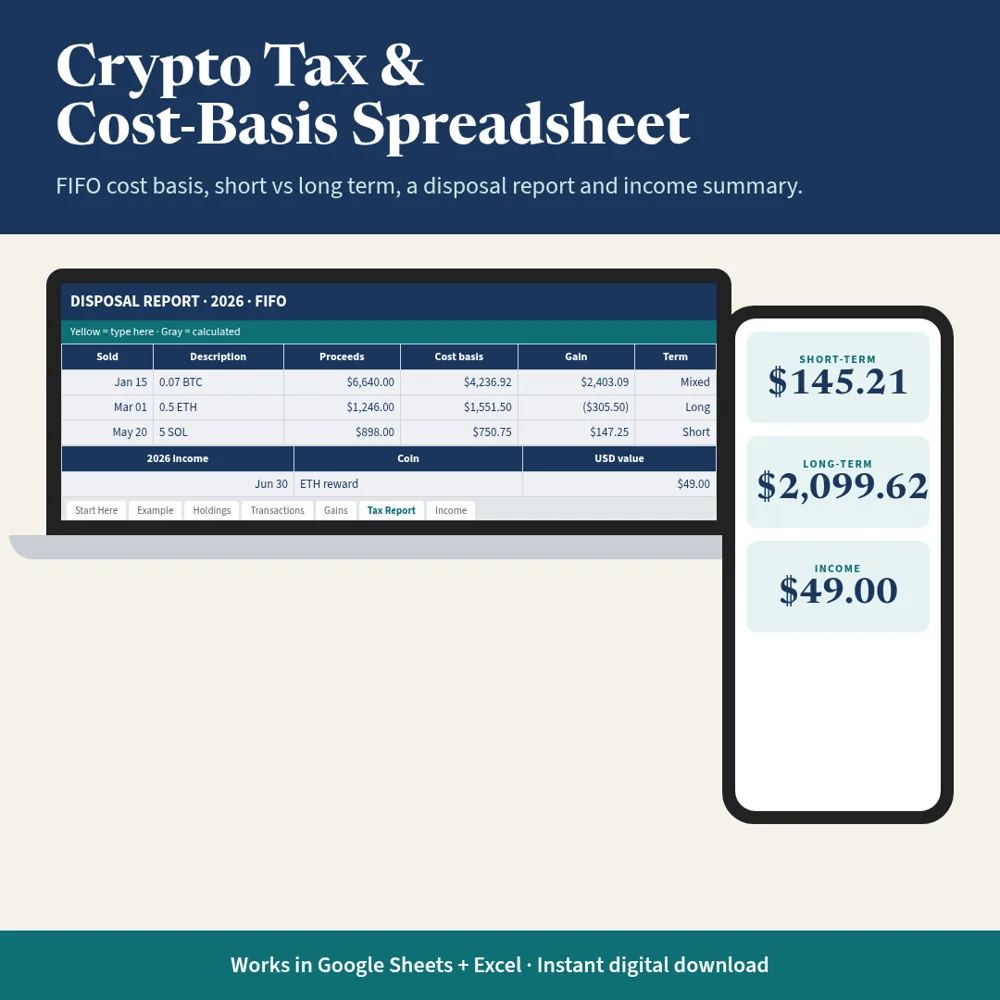
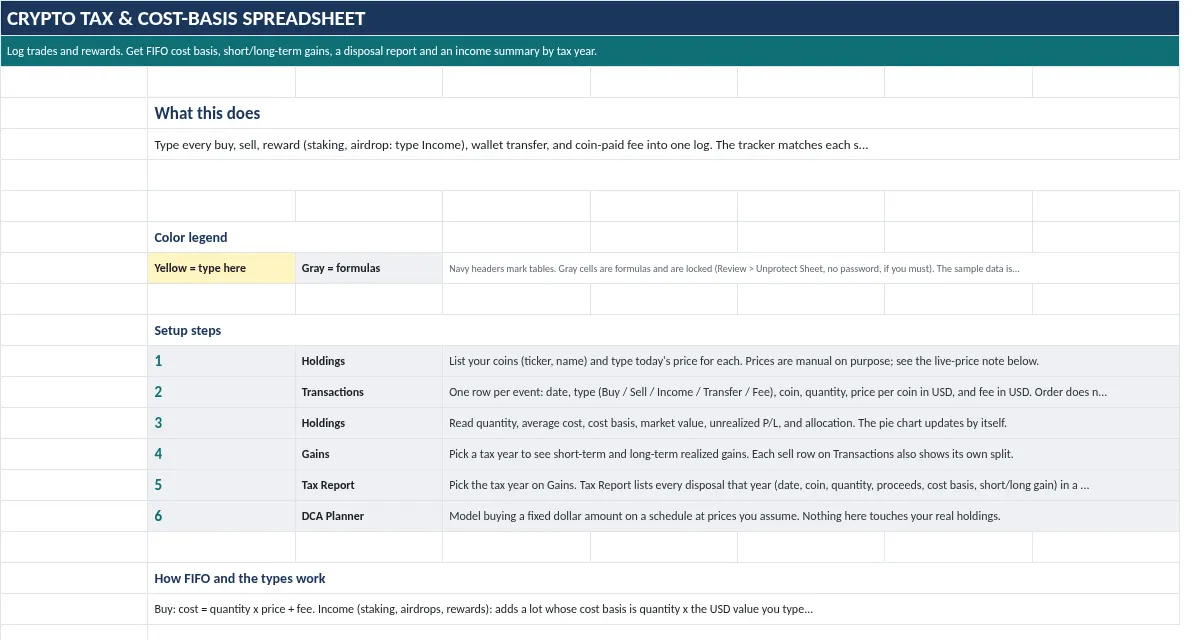
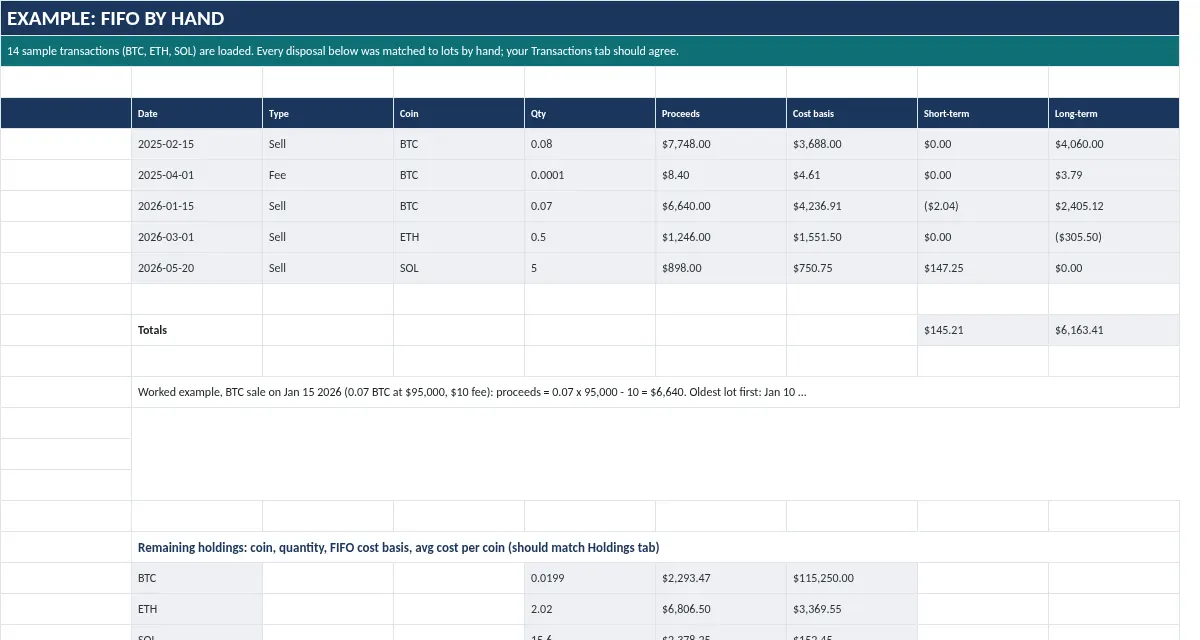
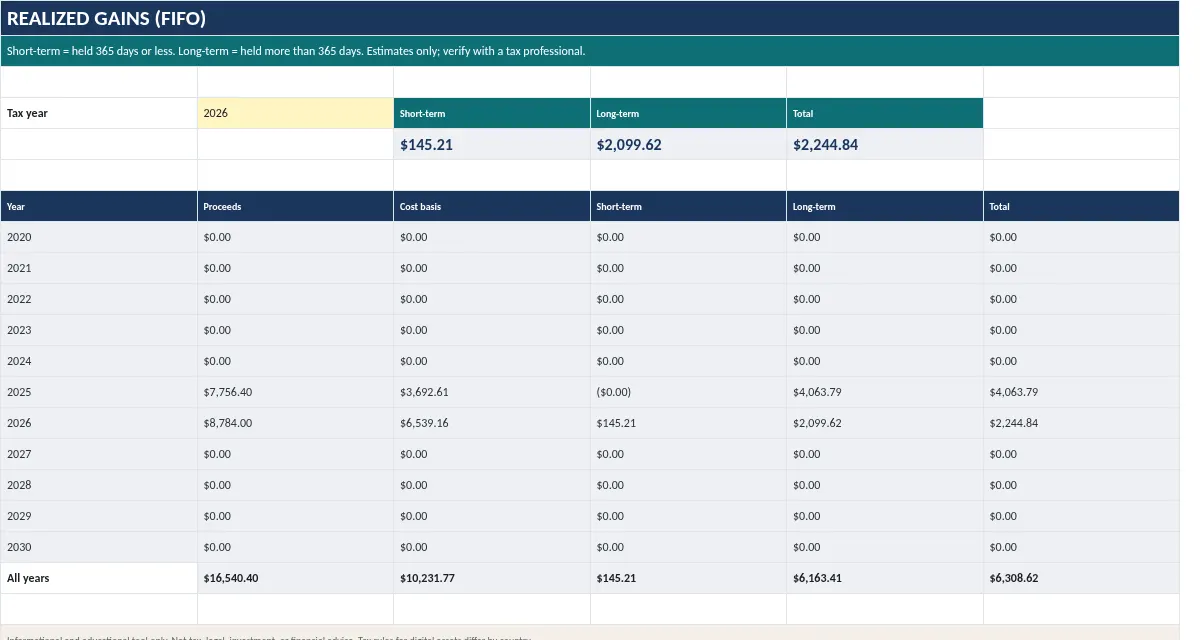
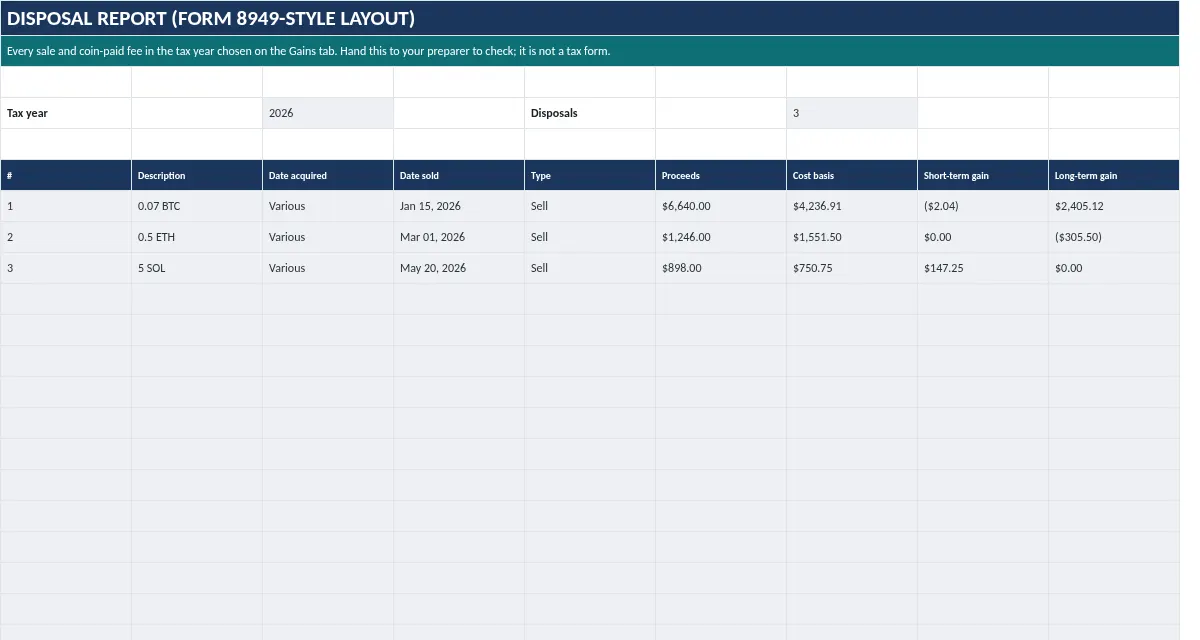
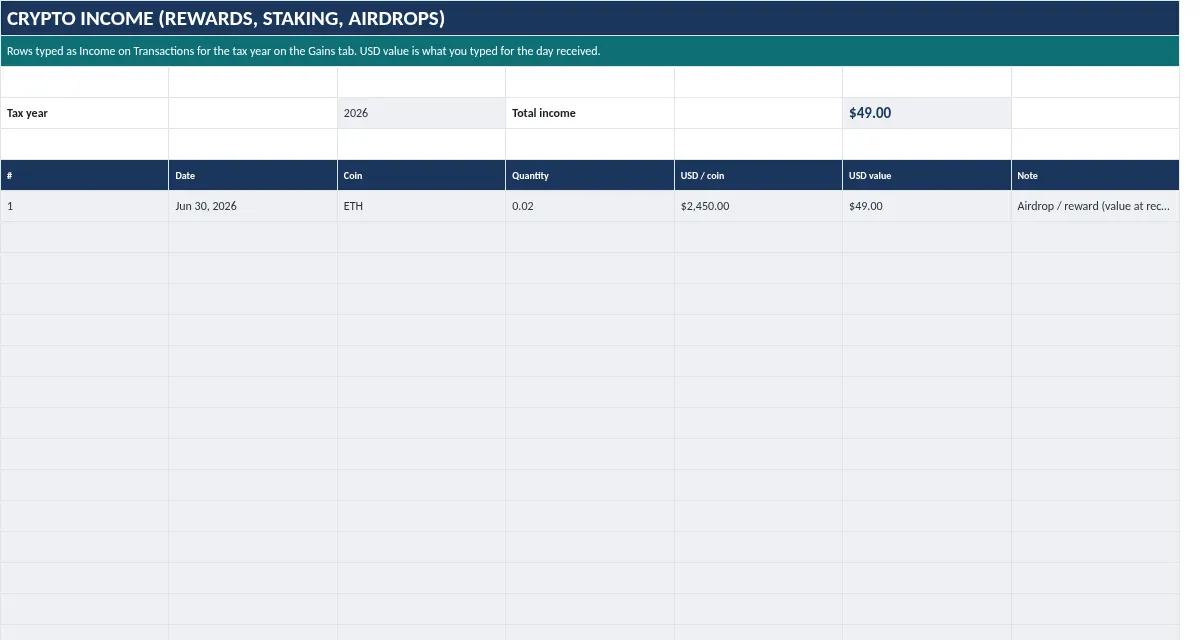
FIFO cost basis, short- and long-term gains, a Form 8949-style disposal report and a staking/airdrop income summary by tax year.
Instant download + email. Works in Google Sheets and Excel.
Secure checkout by StripeApple PayGoogle Pay
If a file doesn’t work, we’ll fix it. If we can’t, you get a refund within 7 days. Because these are instant digital downloads, there are no refunds for change of mind.
Try it free first: Crypto FIFO gains calculator.
Individual holders with a manageable number of trades who want a private, checkable record. Not for high-frequency traders, DeFi power users or businesses; use dedicated software or a professional for those.
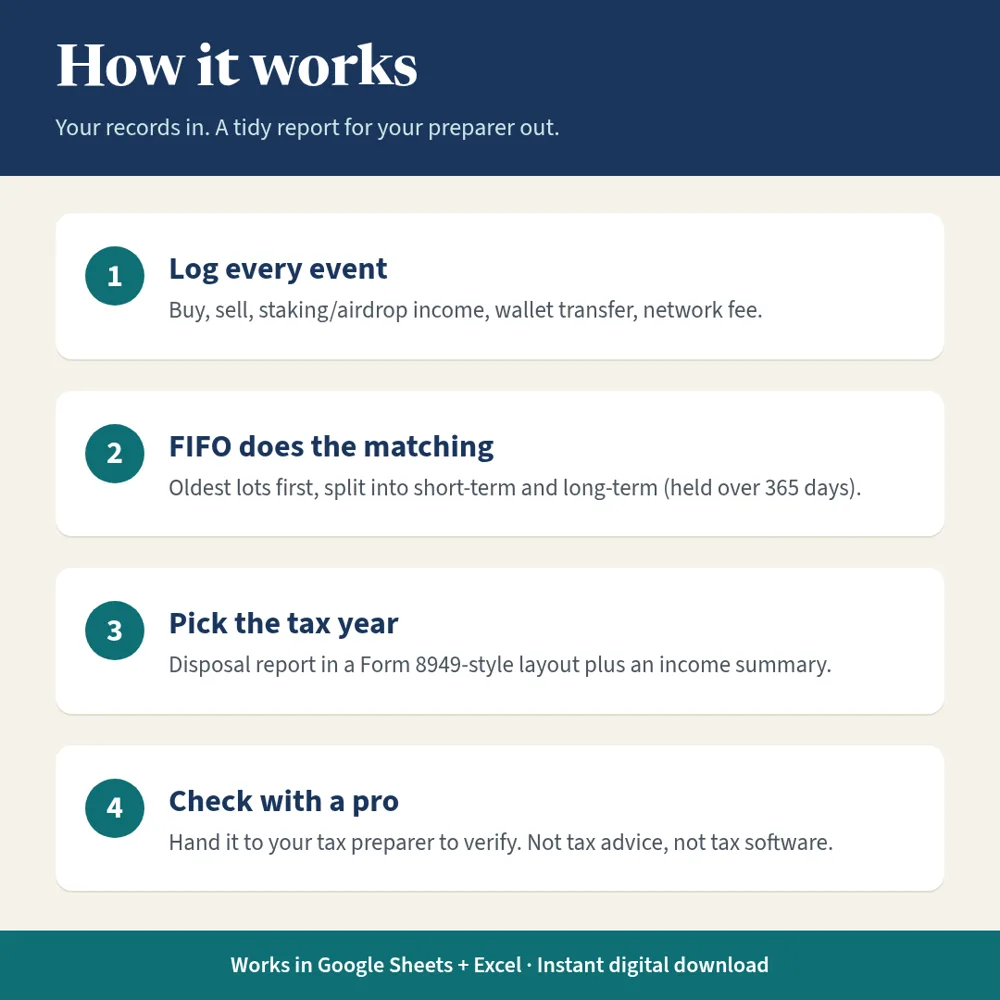
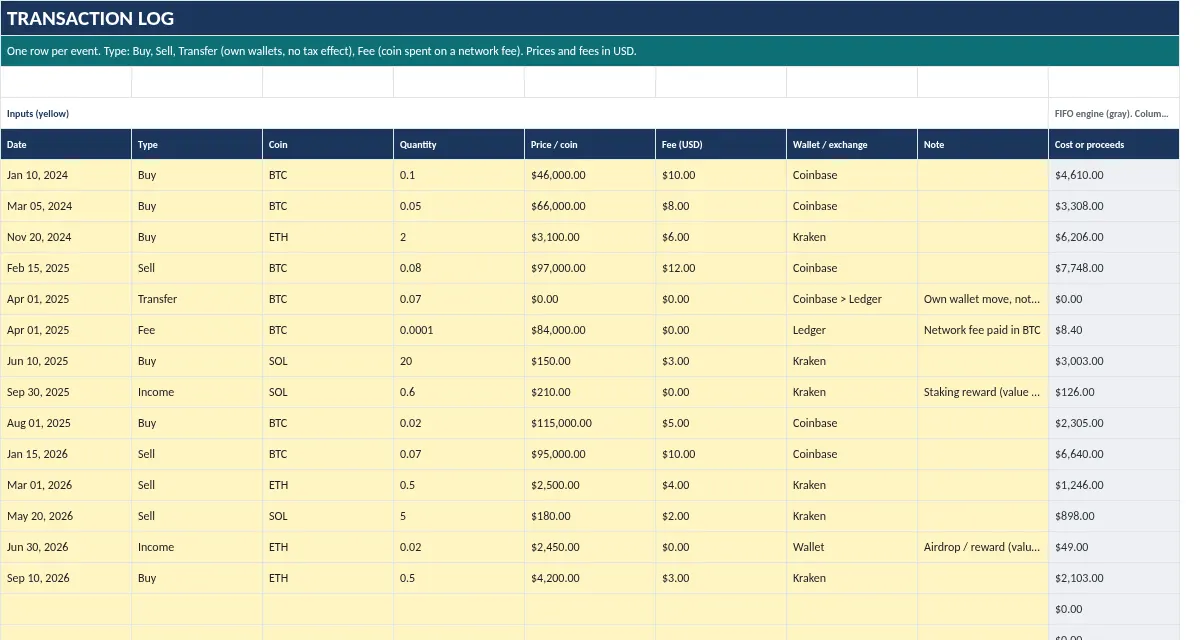
Log every buy, sell, reward, transfer and fee once. The sheet matches each sale to your oldest coins first (FIFO) and builds a year-by-year report you can hand to a preparer. No exchange login, no API keys.
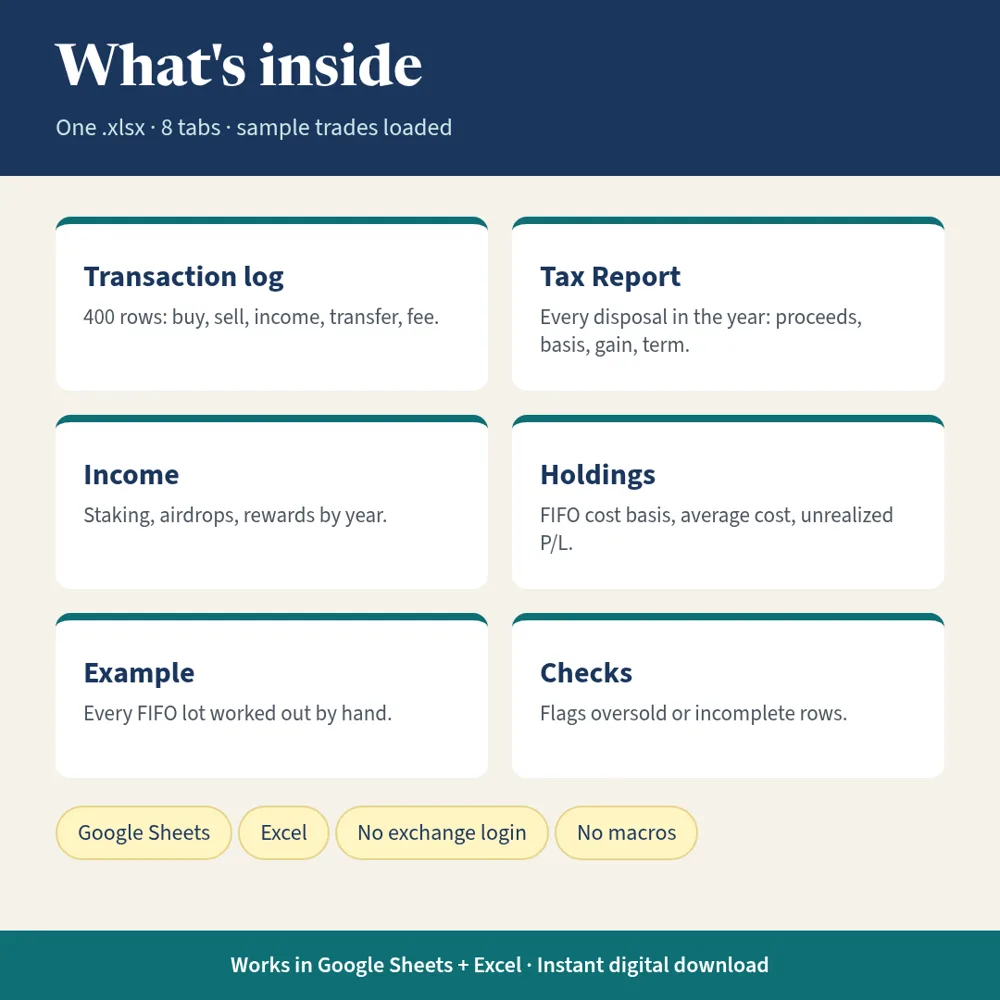
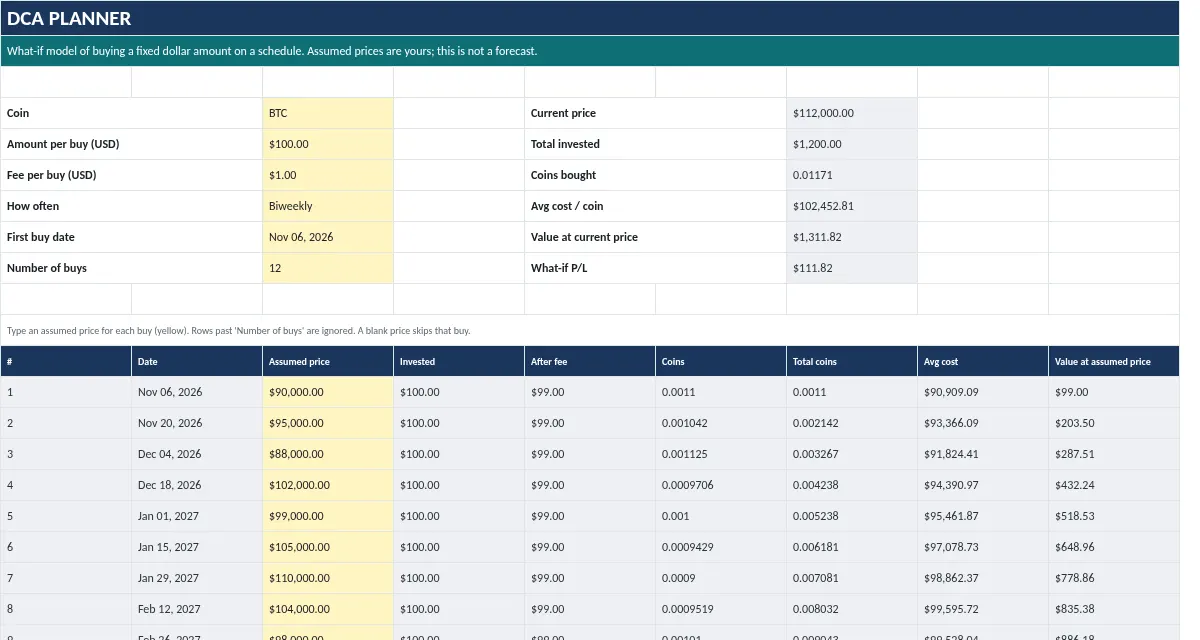
One .xlsx workbook with 8 tabs: Start Here, Example, Holdings, Transactions, Gains, Tax Report, Income, DCA Planner. Sample data loaded. FIFO only (HIFO and specific ID are not supported). Plus a step-by-step setup guide PDF. Works in Google Sheets and Excel (also LibreOffice Calc).
Includes English, Spanish and French versions.
Real screenshots of each tab in the file, recalculated from the included sample data.
10 min

Set up in 10 minutes, or Ava walks you through it free
Ava the Fox, our AI setup guide, takes you one step at a time and can hand you to a person if you get stuck.
Please note. Informational tool only. Not financial, tax, or legal advice. Estimates come from the numbers you type. If a file doesn’t work, we’ll fix it. If we can’t, you get a refund within 7 days. Because these are instant digital downloads, there are no refunds for change of mind.
Not tax advice. Not tax advice and not tax software. Estimates only; verify every figure with a qualified tax professional before filing.
It is not tax software and not tax advice. It organizes your records and estimates FIFO gains; verify every figure with a qualified tax professional.
No. It uses FIFO only, and says so in the file.
Type them as Income with the USD value on the day received. They appear on the Income tab and become new cost-basis lots.
A download link right after checkout and by email, plus a step-by-step setup guide PDF. Spreadsheets are .xlsx: open in Excel, or upload to Google Drive and save as a Google Sheet.
No. One-time price. No macros, add-ons, or bank login.
If a file doesn’t work, we’ll fix it. If we can’t, you get a refund within 7 days. Because these are instant digital downloads, there are no refunds for change of mind.
No. It is an informational tool. Results are estimates from the numbers you enter.
Instant download + email. Works in Google Sheets and Excel.
Secure checkout by StripeApple PayGoogle Pay
If a file doesn’t work, we’ll fix it. If we can’t, you get a refund within 7 days. Because these are instant digital downloads, there are no refunds for change of mind.
Get the Crypto Bundle: Crypto Tracker, Crypto Tax & Cost-Basis and the AI Prompt Library for $39 instead of $53. Pairs well with the Crypto Portfolio + Gains Tracker ($17). Crypto Tax & Cost-Basis Spreadsheet is included in the Complete Money Toolkit: every spreadsheet plus the Notion hub and prompt library for $129 ($231 value).
Crypto
Holdings, average cost, unrealized P/L, allocation, and FIFO realized gains in one private sheet.